
Answer first
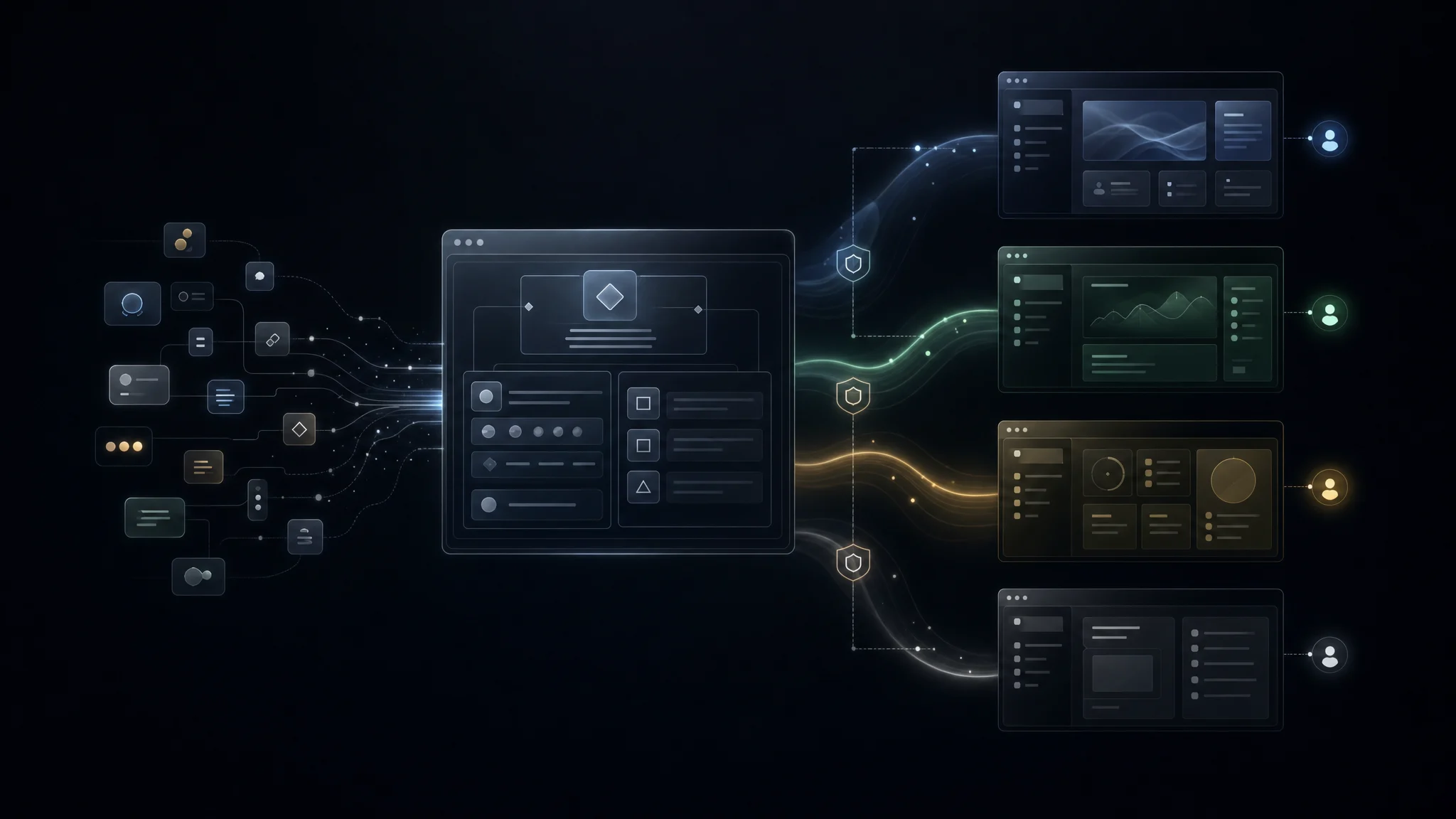
The next important shift in web design is not AI generating more pages. It is AI composing the right interface for the person, task, data, and moment. Declarative UI is the bridge between today's static components and tomorrow's personalized, agent-shaped product surfaces.
Chat Is Not the Final Interface
The first wave of AI product design was predictable.
Every product added a chat box.
That made sense. Chat is the easiest universal interface for a model. It can accept vague intent, ask clarifying questions, call tools, summarize results, and explain itself.
But chat is also a bottleneck.
Some tasks are better handled by direct manipulation:
- comparing rows
- changing filters
- approving a workflow
- reviewing highlighted clauses
- editing a dashboard
- assigning ownership
- choosing from structured options
- inspecting provenance
When every interaction becomes another text prompt, the product feels slower than the old UI it replaced.
So the question is not whether chat matters. It does.
The better question is:
What should the interface become after the model understands the user's intent?
The answer is unlikely to be one static dashboard. It is also unlikely to be raw, unbounded code generated into the browser.
The more useful middle ground is declarative, personalized UI.
Three Ways AI Can Produce Interfaces
There are three useful levels to understand.
1. Static UI: The Agent Fills Prebuilt Components
This is where most production systems start.
The design team and engineering team build normal components: tables, cards, charts, forms, timelines, kanban boards, settings pages, approval panels.
The agent calls a tool, receives structured data, and the app maps that output into one of those existing components.
This is safe and fast. It keeps the product inside the design system. It is also limited.
The agent can fill the screen, but it cannot really shape the screen.
Static UI works well when the product already knows the view:
- show this invoice
- render this chart
- list these accounts
- collect these fields
- summarize this document
The agent is mostly an orchestrator. The interface remains pre-decided.
2. Declarative UI: The Agent Emits a Validated Interface Spec
Declarative UI is the more interesting layer.
Instead of asking the model to generate raw React, the system gives it a controlled vocabulary:
- available components
- allowed props
- layout rules
- action definitions
- data bindings
- permissions
- design tokens
- validation rules
The model returns a JSON, YAML, or similar specification. The app validates that spec and renders it through approved components.
This is the core idea behind frameworks such as json-render, which describes AI-generated interfaces that are constrained to components developers define. The json-render GitHub repository frames this as a generative UI framework where models create interfaces within a component catalog instead of inventing arbitrary UI code.
AG-UI describes a related part of the stack: the agent-user interaction protocol. Its docs separate static generative UI, declarative generative UI, shared state, frontend tool calls, interrupts, and agent steering as building blocks for agentic apps. That distinction matters because a useful interface is not only what gets rendered. It is also how state, actions, user edits, and agent events move through the product.
Declarative UI is powerful because it gives teams two things at once:
- Flexibility: the agent can assemble different interfaces for different tasks.
- Control: the product can validate, constrain, theme, log, and test what gets rendered.
That is the balance most real companies need.
3. Generative UI: The Agent Writes the Interface Itself
The most speculative layer is fully generative UI.
Here, the model writes the HTML, CSS, JavaScript, React, or app bundle at runtime. The output might be created for one user, one task, one dataset, and one conversation.
That sounds exciting because modern coding models are genuinely good at frontend work.
It is also risky.
Raw generated UI code can introduce:
- security issues
- broken accessibility
- inconsistent design
- hidden data exfiltration paths
- untested states
- layout regressions
- unreliable performance
- hallucinated controls
- actions that do not map to real permissions
This is where sandboxing and distribution models matter.
MCP Apps, now an official MCP extension, let MCP tools return interactive applications that hosts render inside a sandboxed iframe. The official MCP Apps documentation explains that apps combine tool metadata, UI resources, sandboxed rendering, and bidirectional communication through JSON-RPC over postMessage. The MCP maintainers describe this as a way for tools to return dashboards, forms, visualizations, multi-step workflows, and other interactive interfaces directly inside the conversation.
In other words, if the future includes generated app surfaces, it also needs containment.
The model can create more. The runtime must trust less.
Server-Driven UI Was the Preview. Agent-Driven UI Is the Next Step.
Personalized UI is not new.
Netflix has spent years personalizing content, rows, artwork, ranking, and recommendations. Its engineering team has written about moving toward foundation models for personalized recommendation, where user interaction histories and content metadata inform downstream recommendation systems.
That is a useful precedent.
The old personalization question was:
Which content should this user see?
The new personalization question is:
Which interface should this user get for this task, with this data, at this moment?
That is a much larger design space.
Imagine three users ask the same product question:
"What needs attention this week?"
A CEO might need five executive risks, a board-ready summary, and owners.
A sales ops lead might need overdue opportunities, rep-level blockers, and a CRM action queue.
A finance controller might need exceptions, reconciliations, approvals, and audit trail.
The same prompt should not produce the same page.
The interface should be shaped by:
- role
- permissions
- business context
- data freshness
- workflow state
- device
- risk level
- prior behavior
- preferred level of detail
- what action the user can actually take
That is personalized UI.
Not personalized copy.
Not a different hero image.
A different working surface.
Why Declarative UI Is the Practical Bridge
Fully generated code will have its place.
But for most production products, declarative UI is the bridge that matters now.
It gives agents a way to express intent without giving them unlimited authority over the runtime.
Think of it as an interface grammar.
The model is allowed to say:
{
  "type": "Dashboard",
  "title": "Revenue risk this week",
  "sections": [
    {
      "type": "KPIGroup",
      "metrics": ["pipeline_at_risk", "late_renewals", "unassigned_followups"]
    },
    {
      "type": "Table",
      "source": "crm.opportunities",
      "filters": { "close_date": "next_14_days", "risk": "high" },
      "actions": ["assign_owner", "create_followup"]
    }
  ]
}
The model is not allowed to invent a new table component, bypass row permissions, call an unsafe action, load arbitrary scripts, or change the product's design system.
That is the difference between AI-generated UI as a demo and AI-composed UI as a product architecture.
The New Web Design Stack
If declarative, personalized UI is the direction, web design changes.
Designers are no longer only designing pages. They are designing the grammar that pages can be made from.
Frontend engineers are no longer only implementing screens. They are building renderers, schemas, component catalogs, action manifests, and validation layers.
Product teams are no longer only writing user stories. They are deciding which tasks deserve flexible surfaces and which tasks need fixed, regulated workflows.
A serious agentic UI stack needs these layers.
1. Component Vocabulary
The agent needs a catalog of components it can use.
Not every component in the codebase should be available. The catalog should include components that are safe for agent composition:
- KPI cards
- tables
- charts
- filters
- forms
- approval panels
- timelines
- document viewers
- comparison views
- empty states
- alerts
- task lists
Each component needs a schema.
The schema should define props, slots, constraints, required fields, and failure behavior.
2. Data Bindings
The interface spec should not contain fake data.
It should bind to approved data sources:
- datasets
- queries
- business objects
- files
- CRM records
- support tickets
- documents
- workflow outputs
The renderer should know what data is fresh, stale, partial, permission-blocked, or missing.
This is where most AI UI demos are weak. They generate a pretty view over made-up data.
Production systems need the opposite: plain views over trusted data first, then richer composition.
3. Action Manifest
Personalized UI is not only about showing information.
It is about giving the user the next allowed action.
The action manifest should define:
- what actions exist
- who can perform them
- what confirmation is needed
- what side effects happen
- what logs are written
- what rollback exists
- what human approval is required
Without this layer, the UI becomes an attractive report. With it, the UI becomes an operating surface.
4. Design Tokens and Density Rules
Declarative UI still needs taste.
If an agent can compose a page, it needs rules for:
- typography
- spacing
- color
- chart density
- table density
- error severity
- mobile behavior
- focus states
- loading states
- empty states
The system should not ask the model to "make it look good."
It should give the model a vocabulary and let the renderer enforce the design system.
For more on that, we have written separately about why beautiful AI frontends need more than a prompt.
5. Evaluation and Traceability
Agent-composed UI needs evaluation.
At minimum, teams should log:
- the user's intent
- retrieved context
- generated spec
- validation result
- rendered components
- data sources used
- actions shown
- actions taken
- user edits
- errors
This creates a review trail.
It also lets the product improve. If users keep deleting a generated section, changing a filter, or ignoring a suggested action, the system has product signal.
6. Fallbacks
Every declarative UI system needs graceful fallback.
If the host cannot render an interactive app, return text.
If the spec fails validation, show a safe default.
If data is missing, show the missing data issue.
If permissions block the action, explain that clearly.
The MCP Apps SDK documentation makes this point through progressive enhancement: UI is richer when supported, but tools should still work as text where UI support is unavailable.
That principle should apply inside normal web apps too.
What This Means for Agencies and Product Teams
This shift changes what "web design" means.
The homepage is still important. Brand still matters. Static pages will not disappear.
But the most valuable software surfaces will increasingly be generated around work.
That means the web designer's canvas expands from:
one page for many users
to:
one interface grammar for many contexts
For a marketing site, that might mean a visitor sees a different calculator, assessment, proof path, or case study flow based on industry and intent.
For a SaaS product, it might mean the dashboard rearranges itself around the active job, not the org chart of the product team.
For internal tools, it might mean no one starts with a blank admin panel. They start with a question, and the system creates the operational surface needed to answer it.
That is the thesis behind InternalKit, our AI-powered internal app builder.
InternalKit is built around a simple idea:
Chat with AI. Get a running internal app backed by real data.
The interesting part is not just the chat. It is what comes after the chat: data pipelines, app specs, dashboards, tables, actions, and workflow transparency.
That is where declarative UI becomes useful. A business user should not have to design a dashboard from scratch. They should describe the outcome, connect the relevant data, inspect what the agent built, and iterate from there.
The future internal tool is not a drag-and-drop admin screen.
It is a personalized operating surface generated from business intent, real data, and approved components.
The Design Risk: Infinite Interfaces With No Taste
There is a bad version of this future.
Every user gets a different interface, but none of them are good.
The model overfits to the prompt. The design system fragments. Accessibility breaks. Product analytics become harder. Support teams cannot reproduce bugs. Compliance teams cannot review actions. Users lose trust because the product keeps changing shape.
That is why the answer is not "let the model design everything."
The answer is:
Let the model compose inside a product-controlled interface grammar.
The grammar carries taste, safety, permissions, data contracts, and product judgment.
The model brings intent, context, and adaptability.
The renderer enforces reality.
A Practical Readiness Checklist
If you are building toward declarative or personalized UI, start with these questions.
Component Catalog
- Which components are safe for agent composition?
- Which components should always remain hand-designed?
- Do all composable components have schemas?
- Are empty, loading, error, and permission states defined?
Data and Context
- Can the agent discover the relevant business objects?
- Are data sources permission-aware?
- Can the UI show freshness, source, and caveats?
- Can the system tell the difference between missing data and zero results?
Actions
- Which actions can the UI expose?
- Which actions need confirmation?
- Which actions need human approval?
- What audit logs are written?
- What happens when an action fails?
Personalization
- What context should change the UI?
- What context should never change the UI?
- Which role, permission, or risk constraints override personalization?
- Can users pin, reject, or edit generated sections?
Governance
- Are generated specs stored?
- Are validation failures logged?
- Can support reproduce a generated view?
- Can compliance inspect why an action was shown?
- Can product teams measure whether generated UI helps users complete work?
The Bottom Line
The future of web design is not chat everywhere.
It is also not random code generation in the browser.
The near-term future is declarative, personalized UI: agents composing validated product surfaces from approved components, real data, user context, and safe actions.
This is a design problem, an engineering problem, and an operating-model problem.
Companies that treat AI UI as a widget will add chat boxes.
Companies that treat AI UI as an interface grammar will build products that adapt to the work.
Primary Sources and Further Reading
- MCP Apps official documentation for interactive apps, sandboxed iframes, UI resources, and host communication.
- MCP Apps announcement for the official extension context and production use cases.
- json-render documentation and json-render on GitHub for constrained generative UI through component catalogs.
- AG-UI documentation for agent-user interaction concepts such as declarative UI, shared state, interrupts, and frontend tool calls.
- Goose Auto Visualiser for an example of automatic inline visualization through MCP-UI.
- Netflix Technology Blog: Foundation Model for Personalized Recommendation for a useful precedent on personalization from user context and interaction history.
- OpenAI Apps SDK overview for the app-inside-assistant direction.


