
Most AI website prompts fail for the same reason: they ask the model to create taste, assets, layout, animation, code, responsive behavior, and deployment in one shot.
That is too much.
The better workflow is to split the job into four roles:
- Art director: turns the vague idea into a visual system.
- Image generator: creates the 3D figures, shapes, objects, and textures.
- Coding agent: builds the React/Vite/Tailwind website from real assets.
- Visual QA reviewer: inspects screenshots and fixes the awkward parts.
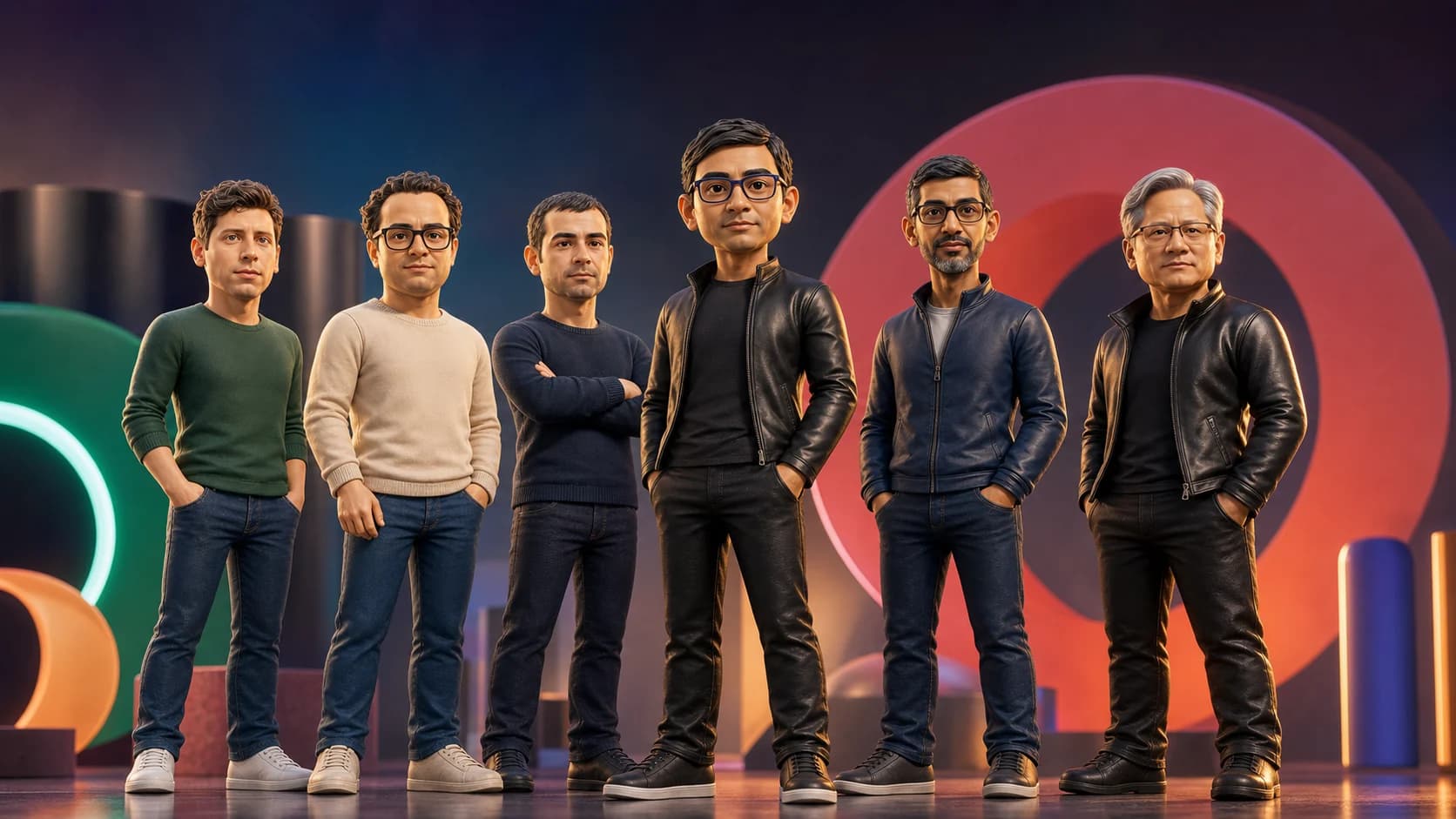
The live demo for this workflow is aiactionheroes.com. Use it as a reference for the type of output this process can produce, but the workflow below is reusable for any cinematic 3D shape website.
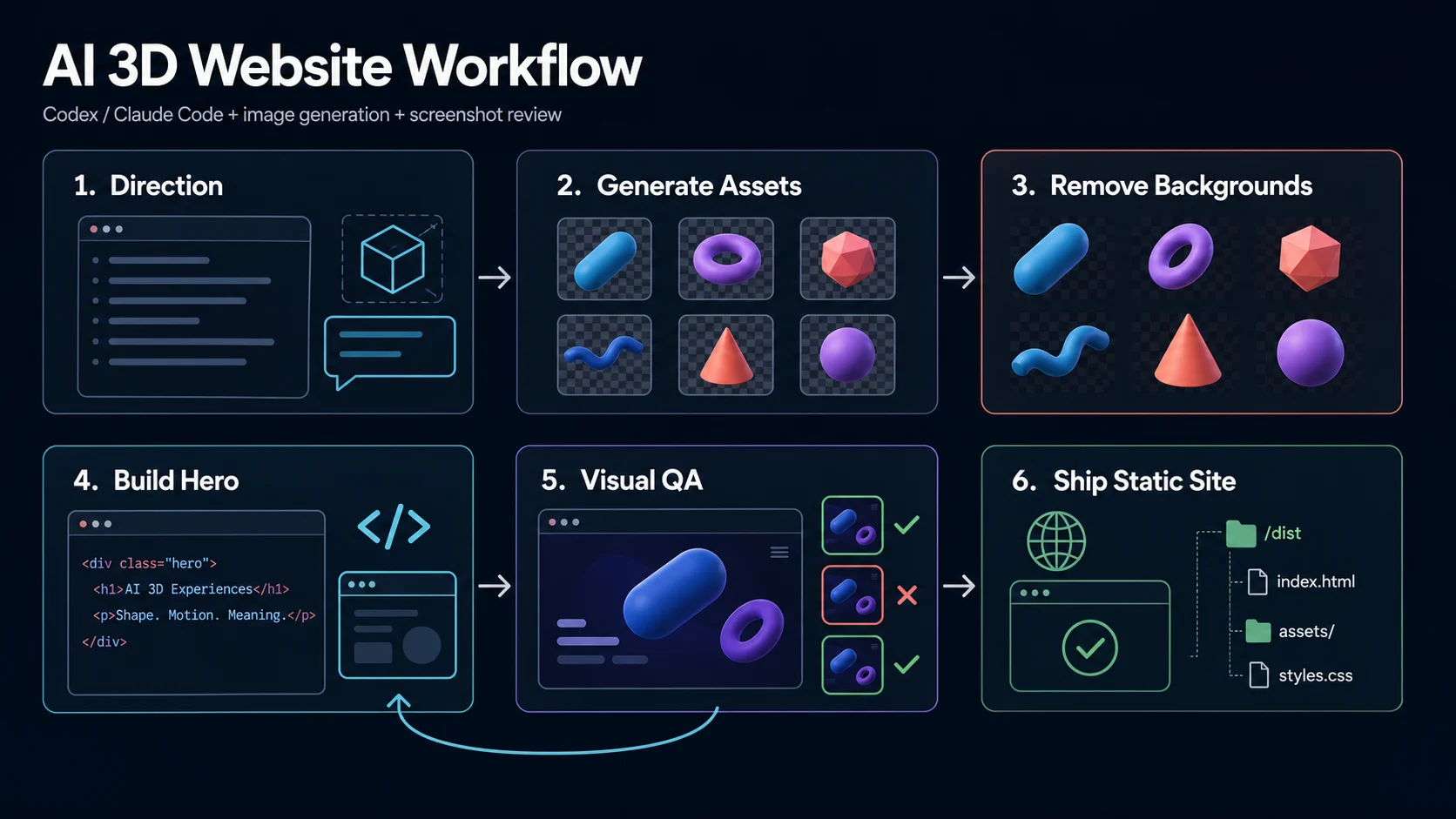
The Workflow
The Core Idea
Do not prompt for a website. Prompt for a production process.
Bad prompt:
Build a futuristic 3D website with cool shapes.
Better prompt:
We are creating a single full-viewport 3D hero website.

Use AI image generation for the foreground 3D assets.
Use Codex or Claude Code to implement the website.
Use screenshot review to fix layout, overlap, cropping, motion, and mobile issues.

Do not add unrelated landing page sections.
Focus on one premium visual surface.
That framing changes the output. The agent stops behaving like a generic landing-page generator and starts behaving like an implementation partner.
1. Get The Visual System First
Before asking for code, ask the agent to describe the site as a visual system.
Act as a senior frontend art director.

I want to create a high-end 3D shape website using AI.
The page should feel like a premium interactive hero, not a SaaS template.

Create a build spec with:
- visual mood
- type direction
- color system
- 3D asset requirements
- layout layers
- animation behavior
- mobile behavior
- visual QA checklist

Rules:
- one full-viewport hero only
- no pricing section
- no testimonial section
- no feature cards
- no footer unless I ask for it
- no generic futuristic filler copy
Use this output as the creative brief. If it sounds generic, ask the agent to make it more specific before moving on.
2. Generate Assets As A Set
A fancy 3D website is only as good as its assets. The coding agent can animate, layer, and polish, but it cannot rescue weak images.
For a carousel or rotating hero, generate assets as a set. Decide the pose variety before creating images:
- one confident front-facing pose
- one walking or angled pose
- one thinking or hands-behind-back pose
- one pointing or gesturing pose
- one relaxed pose with asymmetric stance
Use a prompt like this for each asset:
Create a premium stylized 3D figure for a cinematic web hero.

Subject: [person, product, mascot, or character].
Pose: [specific pose from the pose list].
Expression: [calm, confident, thoughtful, playful, focused].
Style: high-end collectible toy with stylized realism.
Camera: full-body, centered, straight-on or slight three-quarter angle.
Lighting: soft studio key light, subtle rim light, clean product-render finish.
Background: plain white or transparent.

Restrictions:
- no text
- no logo
- no watermark
- no packaging
- no accessories
- no cropped feet
- no extra characters
The important detail is pose variety. If every figure has the same stance and hand position, the website will feel repetitive even if the assets are high quality.
3. Remove Backgrounds Before Coding
If your generated image has a white background, remove it before giving it to the coding agent.
This matters because the hero will likely use changing background colors, ghost text, panels, gradients, or grain overlays. A white rectangle around a figure breaks the entire illusion.
Prep the files like this:
- transparent PNG for foreground figures or objects
- consistent canvas size across every asset
- similar padding around each subject
- compressed final files
- simple filenames such as
founder.png,operator.png,researcher.png
Then give the coding agent exact paths. Do not let it invent image URLs.
4. Ask The Agent For One Hero Component
This is where Codex or Claude Code becomes useful. Keep the implementation narrow.
Create src/components/Hero3DCarousel.tsx and wire it into App.tsx.

Do not create extra pages, pricing sections, feature cards, testimonials, or a footer.
Build only the full-viewport hero component.
Then provide the component contract:
Build a single full-viewport 3D shape hero in React + TypeScript + Vite + Tailwind CSS.
Use lucide-react for icons.

Assets:
- Use a HEROES array with name, image path, background color, accent color, and short description.
- Use only the provided local image paths.
- Preload all images with new Image().

State:
- activeIndex
- isAnimating lock
- isMobile from window.innerWidth < 640
- prefersReducedMotion

Carousel:
- center item is activeIndex
- left item is previous
- right item is next
- back item is the remaining item

Motion:
- transition transform, filter, opacity, position, and background color together
- duration: 650ms
- easing: cubic-bezier(0.4,0,0.2,1)
- ignore navigation clicks during animation
- rotate automatically every few seconds
- pause auto-rotation briefly after manual navigation

Layout:
- full viewport
- large ghost text behind the 3D objects
- center object large and sharp
- side objects smaller and slightly blurred
- controls visible but not dominant
- link to the related tutorial or case study

Mobile:
- reduce object scale
- hide long descriptive copy
- keep controls away from the subject
- prevent horizontal overflow

Accessibility:
- aria labels for controls
- meaningful alt text
- reduced-motion fallback
This kind of prompt gives the agent implementation rules, not vibes.
5. Make The Website Feel Alive
The difference between a decent AI site and a memorable one is usually motion discipline.
Ask for a small number of coordinated transitions:
- background color changes with the active item
- center figure scales up while side figures recede
- inactive items blur slightly
- ghost text stays behind the foreground objects
- arrows, keyboard, swipe, and auto-rotation all use the same state machine
Use this prompt after the first version works:
Improve the motion system.

The page should feel cinematic but controlled.

Adjust:
- object scale
- blur
- opacity
- z-index layering
- transition timing
- automatic rotation
- manual navigation lock
- mobile spacing

Do not add new sections.
Do not change the asset set.
Do not make the UI busier.
This keeps the agent focused on polish instead of expanding the page.
6. Run Visual QA Like A Designer
Compilation is not enough. A 3D hero can compile and still look broken.
Ask the agent to inspect the page visually:
Review the current page visually on desktop and mobile.

Check:
- are any objects cropped?
- are transparent PNGs showing white boxes?
- does text overlap the subject?
- are controls too close to the main figure?
- does the mobile layout have horizontal overflow?
- does the ghost text sit behind the objects?
- does auto-rotation fight manual clicks?
- does reduced motion work?

Fix the issues directly.
Then run the production build again.
This is where coding agents are strongest. They can make a small CSS change, rerun the page, inspect again, and repeat.
7. Ask For Static HTML
Once the hero works, ask for deployable files.
Prepare this project for static website hosting.

Run the production build.
Confirm that index.html exists.
Confirm that image paths work.
Confirm that CSS and JavaScript assets are referenced correctly.
Add CNAME for my custom domain.
Add .nojekyll.
Add a GitHub Actions workflow for GitHub Pages.
For Vite, the output usually looks like:
dist/index.html
dist/assets/*
That is the website you can host.
What To Avoid
If the output starts looking generic, the cause is usually one of these:
- asking for the whole site too early
- using weak or inconsistent assets
- skipping background removal
- letting the agent add filler sections
- accepting the first compiled version
- not checking mobile screenshots
- using too many animation ideas at once
The fix is not a bigger prompt. The fix is a tighter workflow.
Final Prompt Pack
Use these four prompts in order:
1. Create the visual build spec for one premium 3D hero.
2. Generate the foreground 3D assets as a consistent set with varied poses.
3. Build one React/Vite/Tailwind hero component using the exact assets.
4. Inspect screenshots, fix visual issues, and prepare static HTML for hosting.
That is the practical way to build advanced 3D shape websites with AI: use generation for assets, use Codex or Claude Code for implementation, and use visual QA until the site feels intentional.


